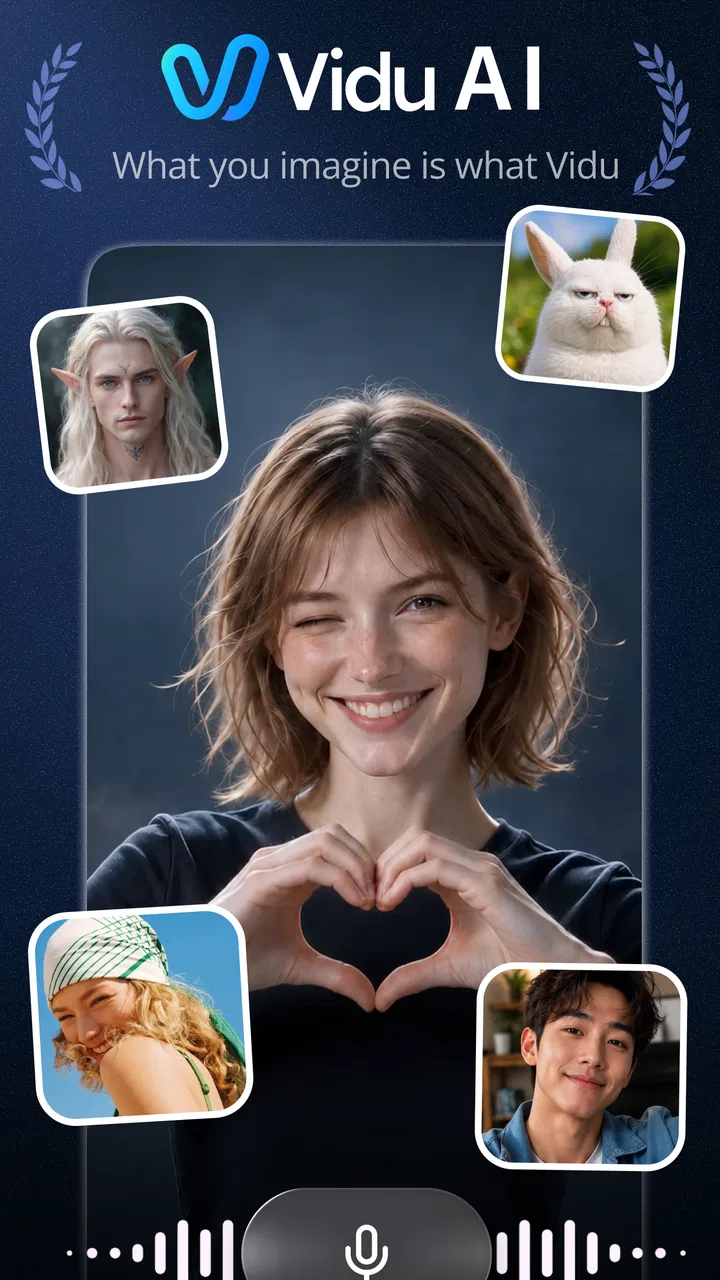
Vidu - AI Video Generator
- 4.8
- Rating
- 1.00M
- Installs
- Free
- Price

 Analysis by App-foxy
I approached Vidu as a practical creative tool rather than a novelty generator. Its promise is simple: turn an idea into a short AI-made video without asking me to learn a full editing suite first. After spending time with it, my view is that it works best as a fast visual sketchbook for social content, concept testing, and playful experiments. It can help me move from a sentence to something watchable quickly, but it does not replace the control I would expect from a traditional editor when timing, continuity, and precise branding matter.
That distinction is important. Vidu is an Art & Design app from ShengShu AI HK Limited, and it is free to install for everyone. The app has built a strong public response, with a 4.9 average from around 14 thousand ratings, while its current version is 3.5.7. Those figures suggest that many people enjoy the quick creation experience, but they do not change the basic trade-off: speed and accessibility come before detailed manual control.
What using Vidu feels like in everyday creative work
The first thing I noticed is how different the starting point feels compared with a conventional mobile editor. In apps such as CapCut, VN, or iMovie, I usually begin with footage, photos, or a blank timeline. Here, I begin with an idea. That makes the early stage much faster when I know the mood I want but do not yet have suitable material.
You May Also Like

 Blood Strike: 2.5 Anniversary
Blood Strike’s Loadouts Turn Every Drop Into a Tactical Gamble
A close look at Blood Strike’s custom loadouts: how fast access to signature weapons reshapes its battle royale rhythm, rewards preparation, and narrows the gap between fights.

 Pandora - Music & Podcasts
Pandora’s Music Is Easy to Start, but Harder to Recover
Pandora’s strength is its low-effort path from a seed to a station. Its weak spot is how much confidence it asks you to place in connection, setup, and quiet recovery.

 8 Ball Pool
 Is Built on Rivalries, Rematches, and Routine
A close look at the rivalries, rematches, shared routines, and unanswered safety questions that turn a quick pool match into a persistent mobile community.

 Samsung Music
’s Quiet Strength Is Playing What You Already Own
Its reach comes less from spectacle than from dependable access to a personal library. That simplicity is both the app’s strongest retention engine and its ceiling.

 AccuWeather: Weather Radar
AccuWeather Review: A Quick, Clear Forecast for Everyday Decisions
For everyday plans, the best forecast is the one you can understand quickly. AccuWeather makes rain timing, radar, and local conditions easy to act on, with a few trade-offs.

 Hill Climb Racing
Why Hill Climb Racing Still Turns Crashes Into One More Run
A tiny car, a bumpy hill and one more upgrade: Hill Climb Racing keeps resurfacing because its simple chaos makes every near-miss feel personal.
More From Our News Desk



For example, I can imagine using it before posting about a small weekend project. Instead of searching through stock clips, recording several takes, and trimming them together, I can develop a visual concept around the subject, generate a short sequence, and decide whether the idea deserves a more polished production. That is a genuinely useful role. Vidu lowers the cost of trying an idea.
The app is also appealing when I need a visual placeholder. A designer preparing a presentation might want a moving background to communicate atmosphere before the final assets exist. A social creator might want to test whether a surreal opening image makes people stop scrolling. A student could use it to explore a visual interpretation of a story or design theme. In each case, the value is not necessarily the finished video; it is the speed of getting a visual direction on screen.
I would not describe the experience as a replacement for filming or editing. It is closer to having an automated concept artist that works with motion. That makes the result exciting when the prompt and subject suit generative imagery, but less dependable when the video must preserve exact details from one moment to the next.
Where the app is strongest
Vidu’s biggest strength is the reduction of friction between imagination and output. I do not need to assemble a timeline before I know whether a concept works. That is especially helpful for creators who are comfortable thinking in images but less comfortable with editing tools. The app’s focus is narrow enough to feel approachable, yet broad enough to support social clips, mood pieces, visual experiments, and design references.
I also find the format useful for creating material that would be difficult to shoot on a phone. A fantastical environment, an impossible camera movement, or a stylized transformation can be explored without arranging locations, props, lighting, and performers. That does not make every result production-ready, but it makes the first creative step much more accessible.
Another strength is iteration. With a normal shoot, changing the concept can mean rescheduling people or rebuilding a setup. With an AI video workflow, I can treat each attempt as a draft. The best approach is not to expect the first result to be perfect. I would generate a few directions, identify the one with the clearest visual idea, and then refine the surrounding content manually in another tool if necessary.
That workflow reveals an important, less obvious benefit: Vidu can help me make decisions before I spend time on details. If I am unsure whether a calm, cinematic introduction or a bright, playful one suits a post, quickly visualizing both directions is more useful than debating them abstractly. The app is therefore valuable as a pre-production tool, not only as an export destination.
Prompting matters more than most new users expect
The quality of the result depends heavily on how clearly I describe the intended scene. A vague request may produce something visually attractive but poorly aligned with the purpose. I get better results when I separate the subject, setting, movement, mood, and visual style instead of packing everything into a loose sentence.
For a short social clip, I would first decide what must be understood immediately. Is the focus a person, a product, a place, or an atmosphere? Then I would describe the action in a simple way. Too many competing instructions can make the result feel confused, while a focused prompt gives the generator a clearer creative center.
A useful technique is to write the prompt as if I were giving directions to a small film crew. I would mention the main subject, the environment, the type of movement, and the emotional tone. I would avoid relying on a long list of unrelated visual adjectives. This does not guarantee consistency, but it gives me a better starting point and makes it easier to understand why one attempt worked better than another.
I also recommend planning the clip around one visual beat. Trying to tell a complete story inside a very short generated sequence often creates rushed or ambiguous results. A single reveal, transformation, entrance, or change in atmosphere is easier to communicate. I can then add context with a caption, voice-over, or surrounding edit rather than asking the generated segment to do everything.
The practical trade-off between speed and control
This is where Vidu differs most clearly from familiar editing apps. A timeline editor gives me direct control over cuts, audio placement, text timing, transitions, and the exact order of clips. Vidu gives me a faster route to generated imagery, but the creative process is less deterministic. If I need a logo to remain perfectly shaped, a hand to interact with an object in a precise way, or a character to look identical throughout a sequence, I would choose a more controlled production method.
That limitation is not a minor technical detail; it affects who should use the app. A casual creator can see variation as part of the fun. A business preparing an important advertisement may see the same variation as a risk. I would use Vidu to explore the visual direction of an advert, but I would be cautious about treating an automatically generated result as the final branded asset without careful review.
The same applies to factual content. If a video must accurately show a specific product feature, location, person, or process, I would prefer real footage, a conventional animation workflow, or a carefully supervised design tool. Generative video is strongest when interpretation is welcome. It is weaker when accuracy is the central requirement.
Everyday scenarios where it earns a place
Imagine I run a small travel-themed social account and want to introduce a post about a rainy city walk. I may not have a suitable opening clip, but I can use Vidu to explore a moody visual that establishes the feeling before I show my own photographs. The generated piece would function as an atmospheric lead-in, not as evidence that I visited a particular place. That distinction keeps the creative use honest and practical.
For a freelance designer, I see another strong workflow. Before presenting a client with a finished campaign concept, the designer could create several moving mood references: one energetic, one minimal, and one dreamlike. These drafts can make a discussion more concrete. The client can react to direction and tone before the designer invests in polished motion graphics.
Teachers and students may also find it useful for visual brainstorming. A written scene can be turned into a moving interpretation, which may help a class discuss composition, mood, or storytelling. I would still encourage users to treat the output as an interpretation rather than a historically or scientifically reliable depiction unless it has been independently checked.
For personal use, the app is enjoyable when I want to make something unusual for a message or a social post. It gives an ordinary idea a more cinematic or imaginative presentation. The best results are not always the most realistic ones; sometimes the charm comes from embracing a stylized, dreamlike appearance instead of demanding photographic accuracy.
What may frustrate you
The first source of friction is unpredictability. A prompt can be sensible and still produce an outcome that misses the intended action, composition, or continuity. This means I need patience for repeated attempts. Anyone expecting a single instruction to produce a finished campaign asset may become disappointed quickly.
The second issue is that generation is not the same as editing. Even when Vidu gives me an appealing clip, I may still need another application for captions, music, narration, precise trimming, aspect-ratio adjustments, or a sequence built from multiple sources. If my main goal is to edit footage already sitting in my camera roll, a conventional mobile editor is likely the more efficient choice.
There is also a cost consideration. The app is free, but it includes in-app purchases ranging from $0.49 to $104.99 per item. I would begin with the free experience and pay close attention to how quickly I use any included generation allowance before committing to a purchase. The broad range means the practical cost can differ substantially depending on how intensively I use the service, so I would not assume that occasional experimentation and frequent content production have the same value.
For a young audience, the Everyone content rating makes the app broadly approachable, but that does not remove the need for sensible supervision around generated media. Parents and educators should still discuss how AI-created scenes can look convincing while being invented. The tool is suitable for creative exploration, but users should learn not to confuse visual polish with truth.
How it compares with the usual alternatives
Compared with CapCut or VN, Vidu is more useful at the idea-generation stage and less useful for detailed assembly. Those editors are better when I already have footage and want to control every cut. They also suit creators who need a reliable workflow for captions, music, transitions, and platform-ready finishing.
Compared with a camera, Vidu offers imagination without a physical shoot, but it gives me less confidence in real-world detail. A phone camera remains the better choice for documenting an event, demonstrating a product accurately, or preserving a genuine personal moment. Vidu is better when the purpose is to invent a visual rather than record one.
Compared with a desktop motion-design application, Vidu is much easier to approach but much less exact. Professional software rewards time and technical knowledge with control over layers, timing, typography, and animation. I would choose that route for a polished identity piece or a client deliverable with strict specifications. I would choose Vidu when I need a fast visual proposal or a creative starting point.
That comparison leads to my clearest recommendation: use Vidu alongside your usual tools, not necessarily instead of them. Generate the difficult or imaginative visual here, then finish the story, typography, sound, and factual framing elsewhere. This hybrid workflow makes the app’s speed useful without asking it to solve problems it is not designed to solve.
Who should try it, and who should skip it
I recommend Vidu to social creators who need fresh visual ideas, artists exploring motion, designers preparing mood references, and curious beginners who find a timeline intimidating. It is particularly good for people who enjoy iteration and can judge a generated clip critically rather than accepting the first attractive result.
I would also suggest it to anyone who regularly gets stuck at the blank-page stage. The ability to see a rough moving interpretation can unlock decisions about color, pacing, subject, and mood. Even a result I do not publish can teach me what direction I do or do not want.
I would skip it as a primary tool if I need exact continuity, dependable product representation, precise text inside the generated scene, or a complete professional edit from start to finish. In those cases, a camera, timeline editor, animation package, or a supervised production workflow will give me more confidence and less cleanup.
Privacy-conscious users should also think carefully about the kind of creative material they choose to submit to any online AI service. I would avoid using confidential client concepts, unreleased product details, or personal material unless I had already decided that the relevant service was appropriate for that content. That is a sensible habit for creative tools generally, and it matters especially when experimentation involves other people’s work.
My verdict after testing the creative workflow
Vidu succeeds because it makes visual experimentation feel immediate. I can start with an idea instead of a folder of assets, and that changes the kind of projects I am willing to attempt. Its strongest contribution is not perfect automation; it is the ability to turn a vague concept into a moving reference quickly.
At the same time, I would not mistake convenience for complete production control. Results can vary, generated scenes may need several attempts, and the app is not the most suitable choice for precise editing or factual representation. The free entry point is inviting, while the in-app purchase range means frequent users should evaluate their workflow before spending heavily.
With more than 500 thousand installs, Vidu has clearly attracted a substantial audience since its release on March 11, 2025. I can understand why: it is approachable, imaginative, and useful for breaking through creative hesitation. My final advice is to treat it as a fast visual laboratory. If you want to invent, test, and explore ideas for social content or design, I think it is worth trying. If you need exact, repeatable, fully editable video production, I would keep your conventional tools close and use Vidu only where its generative freedom is genuinely an advantage.
FAQs for Vidu - AI Video Generator
01What is Vidu - AI Video Generator?
Vidu - AI Video Generator is an innovative app designed to help users create professional-quality videos with minimal effort. Using advanced AI technology, it automates many aspects of video production, making it accessible even to those with no prior video editing experience. It offers various templates and customization options to suit different needs.
02How does Vidu's AI technology work in video creation?
Vidu utilizes cutting-edge AI algorithms to streamline the video creation process. By analyzing user input and preferences, it can suggest edits, transitions, and effects that enhance the video's quality. The AI also assists in optimizing the video for different platforms, ensuring that the final product meets professional standards.
03Is Vidu suitable for beginners?
Yes, Vidu is designed to be user-friendly and is suitable for both beginners and experienced video creators. Its intuitive interface and guided tutorials make it easy for newcomers to start creating videos right away. The app provides step-by-step assistance, ensuring that even users with no technical background can produce high-quality videos.
04What customization options does Vidu offer?
Vidu offers a wide range of customization options, allowing users to personalize their videos to fit specific themes or styles. Users can choose from various templates, adjust color schemes, add text, incorporate music, and apply special effects. This flexibility ensures that each video is unique and tailored to the creator's vision.
05Are there any in-app purchases or subscriptions required?
Vidu offers a free version with basic features, but additional premium features are available through in-app purchases or a subscription model. These include access to more advanced editing tools, exclusive templates, and enhanced AI capabilities. Users can choose the plan that best fits their needs and budget.
Pros
- Easy to use interface for beginners.
- Quick video processing time.
- Wide range of templates available.
- Supports multiple languages.
- High-quality AI-generated videos.
Cons
- Limited customization options.
- Requires stable internet connection.
- Some features are premium.
- Occasional AI errors in captions.
- No offline editing capability.

Vidu - AI Video Generator
Gallery